Need a copy of your driving licence? You can download your driving licence online using official government platforms such as DigiLocker, mParivahan, Sarathi Parivahan, and UMANG. A digital driving licence is legally valid in India and can be used during traffic checks, vehicle verification, insurance processes, and other official purposes.
Whether you want to download a driving licence PDF, print a copy of your DL, access a virtual driving licence, or recover a lost licence copy, this guide explains every available method step by step.
Download Driving License
Official SiteDownload Driving Licence
Fast • Secure • Official Methods • Digital DL Access
How to Download Driving Licence Online
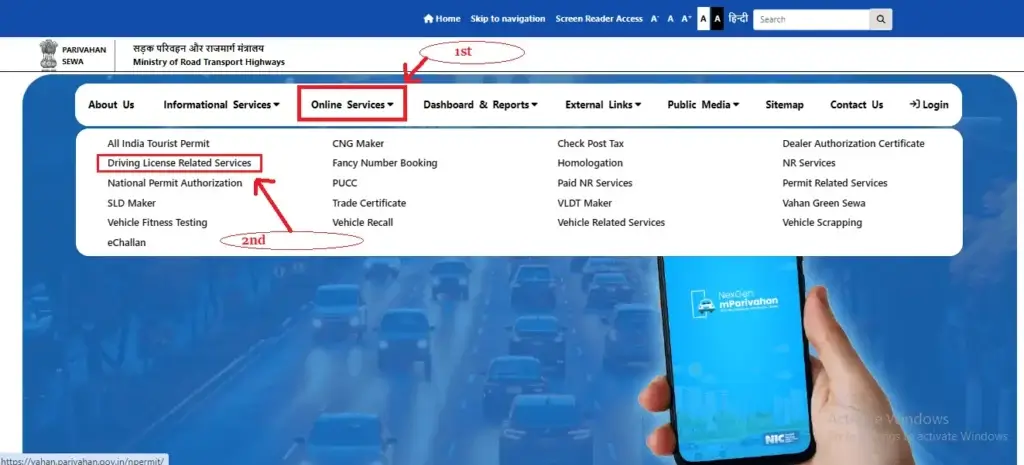
You can download your driving licence online by:
- DigiLocker
- mParivahan App
- Sarathi Parivahan Portal
- UMANG App
Simply enter your driving licence number or application details, verify your identity, and access your digital driving licence.
What Is a Digital Driving Licence?
A digital driving licence is an electronic version of your physical driving licence issued through government-authorized platforms.
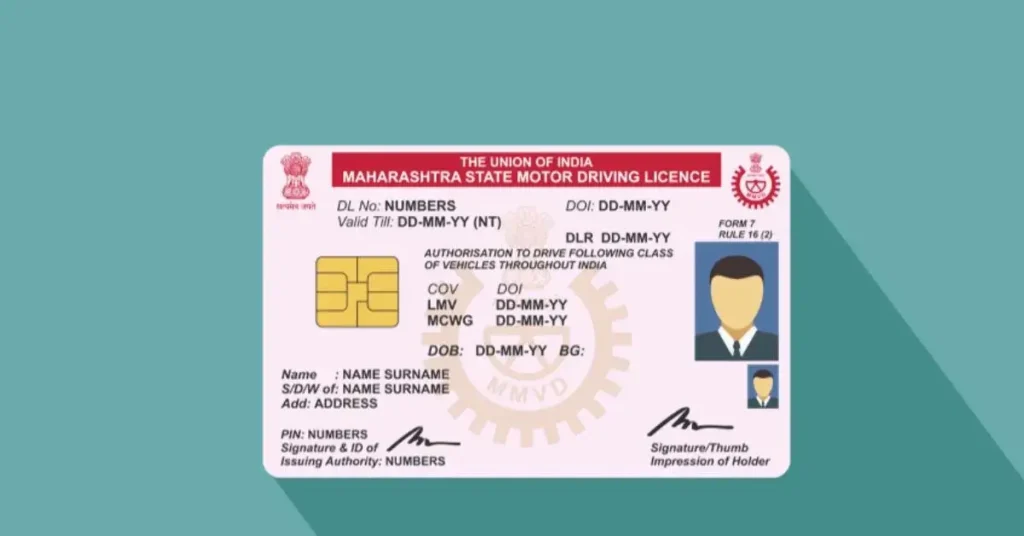
The digital licence contains:
- Driving Licence Number
- Driver Name
- Date of Birth
- Vehicle Class
- Issue Date
- Validity Information
- QR Code Verification
Digital licences are accepted under government guidelines and can be used for verification purposes across India.
Is a Digital Driving Licence Legal in India?
Yes.
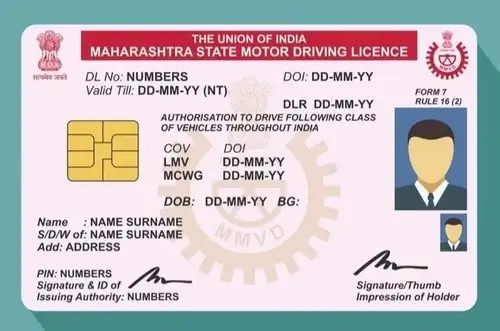
Digital driving licences obtained through official government platforms are legally valid.
Platforms include:
- DigiLocker
- mParivahan
- Sarathi Parivahan
- UMANG
Traffic authorities can verify digital licences through secure government databases and QR code verification systems.
Best Ways to Download Driving Licence Online
There are several methods available to access your driving licence digitally.
| Method | PDF Download | Mobile Access | Legal Validity | Easy to Use |
|---|---|---|---|---|
| DigiLocker | Yes | Yes | Yes | Excellent |
| mParivahan | Limited | Yes | Yes | Excellent |
| Sarathi Parivahan | Yes | Yes | Yes | Good |
| UMANG | Yes | Yes | Yes | Good |
Each method serves different user needs.
Download Driving Licence from DigiLocker
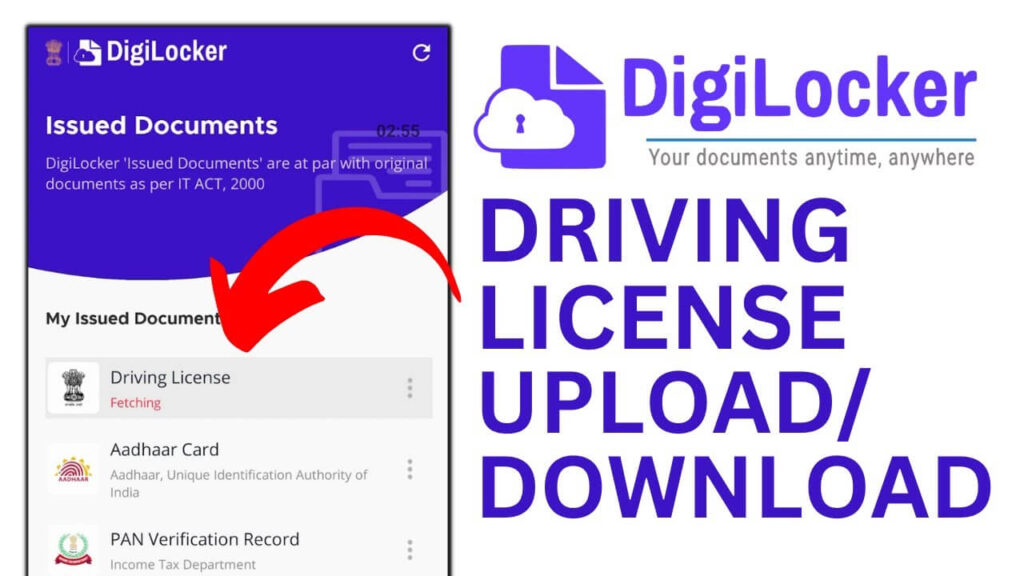
DigiLocker is one of the most popular ways to access official government documents digitally.
Step 1
Open the DigiLocker website or mobile application.
Step 2
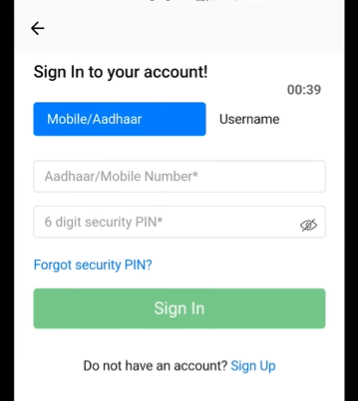
Sign in using your registered mobile number.
Step 3
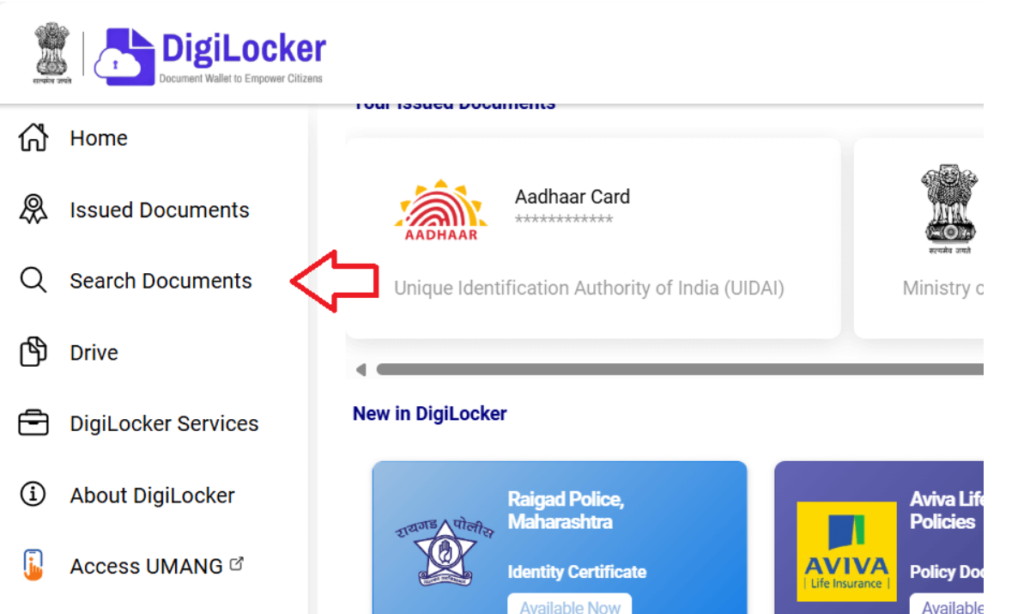
Navigate to “Issued Documents.”
Step 4
Select:
Ministry of Road Transport and Highways
Step 5
Choose:
Driving Licence
Step 6
Enter:
- Driving Licence Number
- Required verification details
Step 7
Submit the information.
Step 8
Your driving licence will appear in your DigiLocker account.
Step 9
Download the PDF copy or keep it stored digitally.
Benefits of DigiLocker
- Official government platform
- Secure cloud storage
- Easy document sharing
- PDF download available
- Accessible from multiple devices
- Accepted for verification
Download Driving Licence via mParivahan App
mParivahan is a government application designed for vehicle and licence-related services.
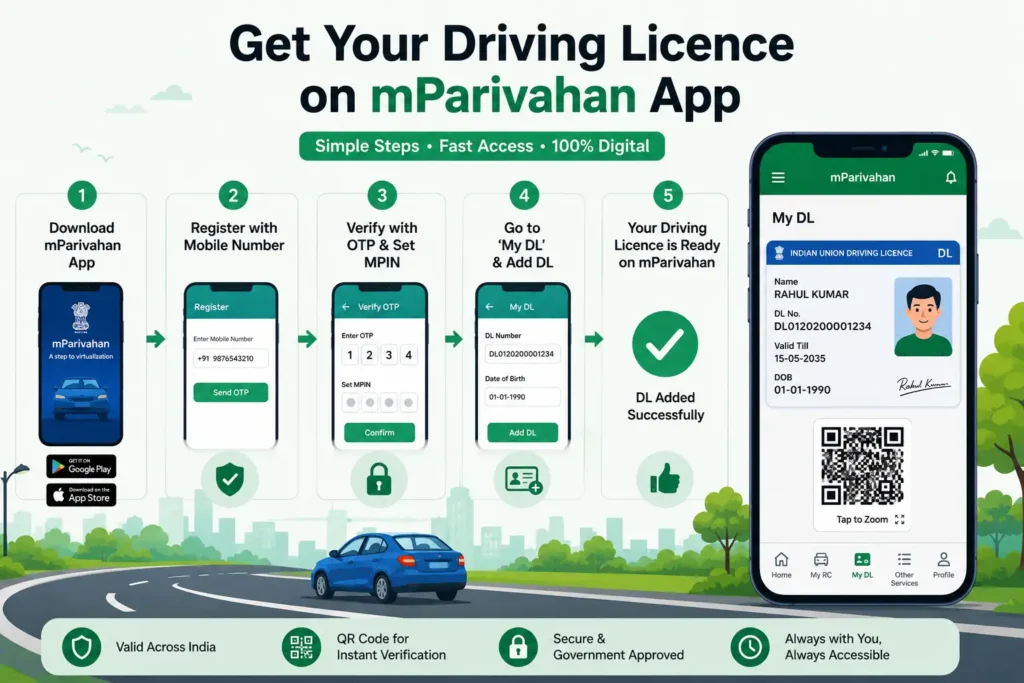
Many users prefer mParivahan because it provides quick access to virtual licences.
Step 1
Install the mParivahan application.
Step 2
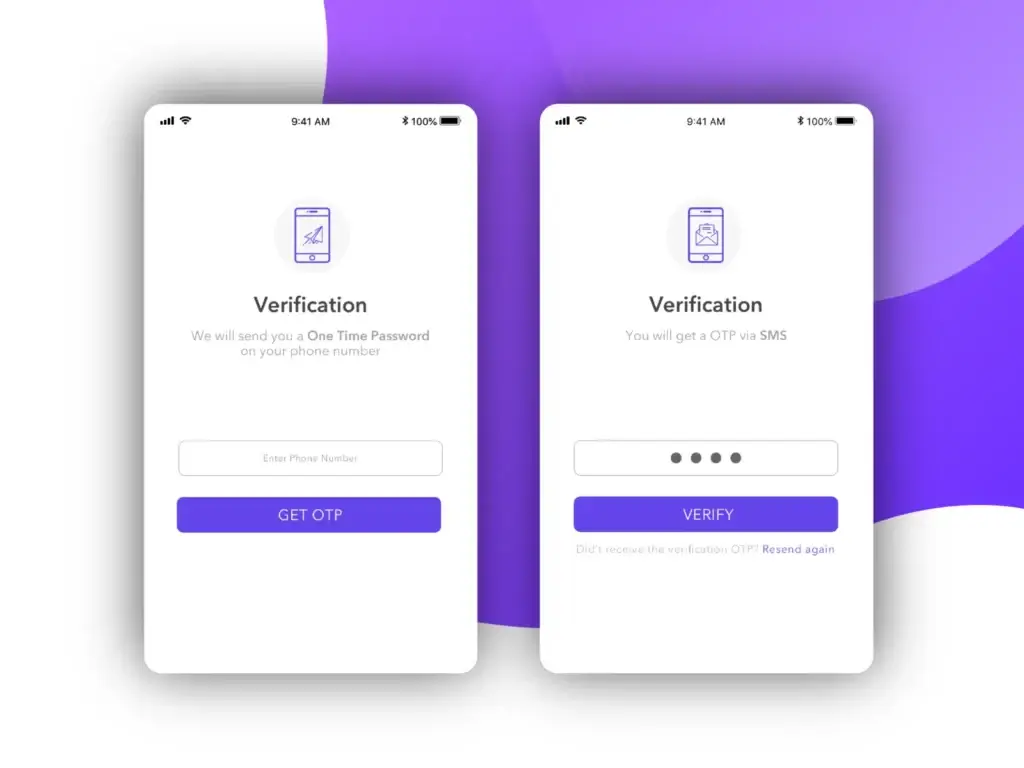
Register using your mobile number.
Step 3
Open the Driving Licence section.
Step 4
Select:
Add Driving Licence
Step 5
Enter:
- Driving Licence Number
- Date of Birth
Step 6
Verify the details.
Step 7
Your virtual driving licence will appear inside the application.
Benefits of mParivahan
- Instant access
- Mobile-friendly
- QR code verification
- Accepted during traffic inspections
- Easy document management
Why People Download Their Driving Licence Online
Many users download digital licences for:
Backup Protection
Keep a secure copy in case the physical licence is lost or damaged.
Traffic Verification
Show a valid digital copy during traffic inspections.
Vehicle Documentation
Use digital documents during insurance or registration processes.
Travel Convenience
Access your licence anytime using your phone.
Emergency Access
Retrieve important licence details when needed.
Requirements for Driving Licence Download
Before downloading your licence, keep the following ready:
- Driving Licence Number
- Application Number (if applicable)
- Date of Birth
- Registered Mobile Number
- Internet Connection
- Smartphone or Computer
Download Driving Licence from Sarathi Parivahan
The Sarathi Parivahan Portal is the official platform managed by the Ministry of Road Transport and Highways (MoRTH) for driving licence-related services. If you need a printable copy of your licence, Sarathi is one of the best options.
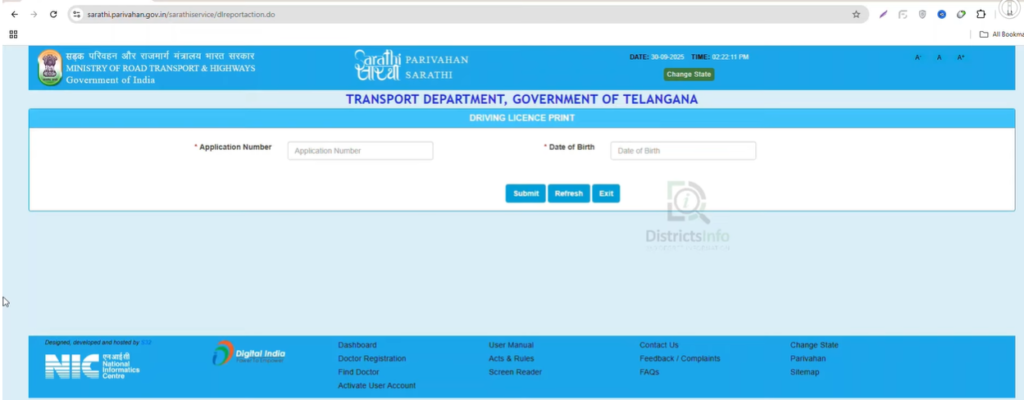
Steps to Download Driving Licence via Sarathi
Step 1
Visit the official Sarathi Parivahan portal.
Step 2
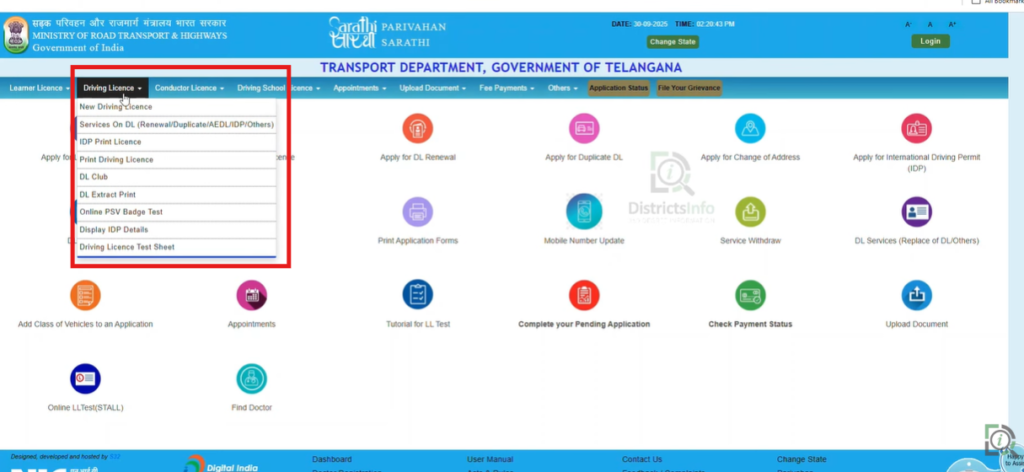
Click on Driving Licence Related Services.
Step 3
Select your State.
Step 4
Open the Driving Licence menu.
Step 5
Choose one of the available options:
- Print Driving Licence
- DL Extract
- Driving Licence Services
Step 6
Enter:
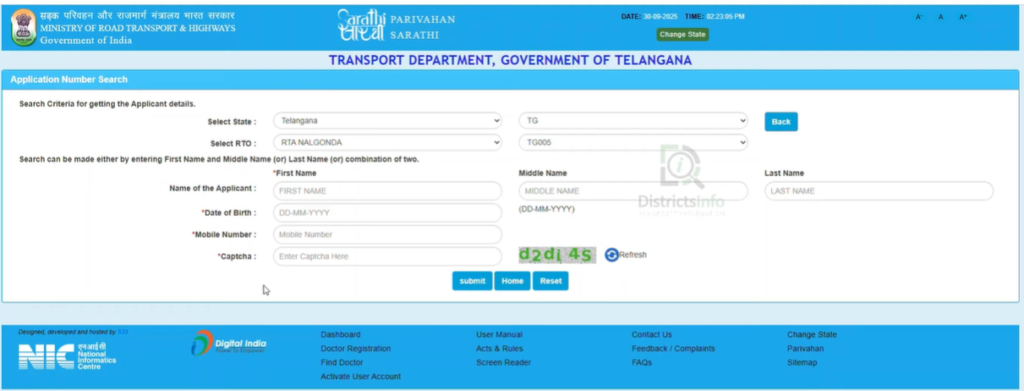
- Driving Licence Number
- Date of Birth
- Application Number (if required)
Step 7
Complete captcha verification.
Step 8
Submit the form.
Step 9
View, download, or print your driving licence PDF.
Benefits of Sarathi Parivahan
✔ Official government portal
✔ Printable licence copy
✔ Driving licence services in one place
✔ State-specific licence records
✔ Easy verification process
Download Driving Licence from UMANG App
UMANG (Unified Mobile Application for New-age Governance) provides access to multiple government services, including driving licence-related services.
Step 1
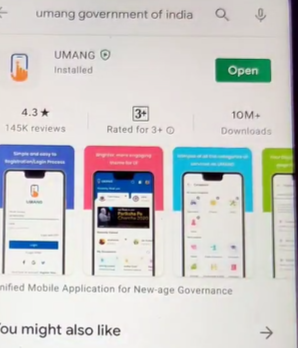
Install the UMANG App.
Step 2
Register using your mobile number.
Step 3
Search for:
Driving Licence Services
Step 4
Select the transport services option.
Step 5
Enter your driving licence details.
Step 6
Verify your information.
Step 7
Access and download your driving licence.
Why Use UMANG?
- Multiple government services in one app
- Easy access to documents
- Mobile-friendly
- Secure verification
- Convenient document storage
How to Download Driving Licence Using Application Number
Many users do not yet have their permanent driving licence number and want to use their application number instead.
Depending on your application stage, you may be able to:
- Check application details
- Verify approval status
- Access available records
- Download eligible documents
Information Required
- Application Number
- Date of Birth
- Registered Mobile Number
How to Find a Lost Driving Licence Number
One of the most searched questions online is:
“How can I download my driving licence if I forgot my DL number?”
Fortunately, there are several ways to recover your licence information.
Option 1
Use Sarathi Parivahan services.
Option 2
Check DigiLocker.
Option 3
Check mParivahan.
Option 4
Visit your local RTO.
Option 5
Use previously issued vehicle or licence records.
How to Download a Duplicate Driving Licence Online
If your physical licence is lost, stolen, damaged, or misplaced, you may need a duplicate copy.
Situations Where Duplicate DL Is Needed
- Lost driving licence
- Damaged licence
- Torn licence
- Unreadable licence
- Missing licence card
How to Get a Duplicate Copy
Step 1
Access the relevant licence services portal.
Step 2
Apply for a duplicate licence.
Step 3
Complete identity verification.
Step 4
Submit required documents.
Step 5
Track your application status.
Can I Download a Learner Licence Online?
Yes.
Most states allow users to download their learner licence online.
Learner Licence Download Benefits
- Easy access
- Printable copy
- Digital backup
- Verification support
Users should ensure the learner licence remains valid before driving.
How to Print Driving Licence PDF
After downloading a digital copy, many users want a printable version.
Step 1
Download the PDF file.
Step 2
Open the file using a PDF reader.
Step 3
Verify all information.
Step 4
Select Print.
Step 5
Use a quality printer for clear output.
Although printed copies can be useful, official digital copies remain legally accepted in many situations.
Old Driving Licence Not Showing Online? Here’s Why
This is one of the biggest problems faced by users.
Many older driving licences were issued before digital records became common.
Because of this, some licences may not appear immediately in online databases.
Possible Reasons
Database Not Updated
Older records may not yet be digitized.
State Migration Issues
Data may still be migrating between systems.
Incorrect Information
Name, DOB, or licence number mismatch.
Licence Not Linked
Records may not be linked to current databases.
How to Fix It
Verify Your Information
Ensure all entered details are correct.
Check Multiple Platforms
Try:
- DigiLocker
- mParivahan
- Sarathi
Contact RTO
If the licence still does not appear, visit the issuing RTO for assistance.
Driving Licence PDF Not Downloading?
Many users encounter download issues.
Common Causes
Poor Internet Connection
Downloads may fail on unstable networks.
Browser Issues
Outdated browsers may cause errors.
Server Delays
Government portals may experience heavy traffic.
Cache Problems
Stored browser data can interfere with downloads.
Solutions
✔ Refresh the page
✔ Clear browser cache
✔ Try another browser
✔ Try another device
✔ Wait and try again later
✔ Check internet connectivity
OTP Not Received While Downloading Driving Licence
OTP verification problems are common.
Possible Reasons
- Incorrect mobile number
- Network delay
- Mobile number not linked
- Temporary server issues
Solutions
- Wait a few minutes
- Request OTP again
- Verify your registered number
- Contact relevant support if necessary
Can Traffic Police Accept Digital Driving Licence?
Yes.
Digital driving licences obtained through authorized government platforms are generally accepted for verification purposes.
Accepted platforms include:
- DigiLocker
- mParivahan
Digital licences contain secure verification mechanisms such as QR codes and government-issued digital records.
DigiLocker vs mParivahan vs Sarathi vs UMANG
| Feature | DigiLocker | mParivahan | Sarathi | UMANG |
|---|---|---|---|---|
| PDF Download | ✅ | Limited | ✅ | ✅ |
| Mobile Access | ✅ | ✅ | ✅ | ✅ |
| Official Platform | ✅ | ✅ | ✅ | ✅ |
| Digital Storage | ✅ | ❌ | ❌ | Limited |
| QR Verification | ✅ | ✅ | ❌ | ❌ |
| Ease of Use | Excellent | Excellent | Good | Good |
Recommended Choice
For most users:
DigiLocker is the best overall option.
For mobile-only users:
mParivahan is an excellent alternative.
For printing:
Sarathi Parivahan is often preferred.
Troubleshooting Hub – Fix Common Driving Licence Download Problems
Even though downloading a driving licence online is usually straightforward, some users may encounter issues during the process. Below are the most common problems and practical solutions.
No Record Found
Possible Reasons
- Incorrect Driving Licence Number
- Wrong Date of Birth
- State selected incorrectly
- Licence record not updated
- Old licence not digitized
How to Fix
✔ Verify your DL number carefully
✔ Ensure your date of birth matches official records
✔ Try DigiLocker, mParivahan, and Sarathi separately
✔ Contact the issuing RTO if records are unavailable
Driving Licence Not Available in DigiLocker
Possible Reasons
- Record not synced with DigiLocker
- Incorrect licence details
- Recently issued licence
Solution
✔ Wait 24–72 hours if licence was recently approved
✔ Check information again
✔ Try fetching records later
✔ Use Sarathi or mParivahan as an alternative
Driving Licence Not Showing in mParivahan
Possible Reasons
- Database synchronization delay
- Licence information mismatch
- Mobile verification issue
Solution
✔ Re-enter licence details
✔ Update the app
✔ Try again later
✔ Contact support if the issue persists
Unable to Download PDF
Possible Reasons
- Browser issue
- Internet interruption
- Corrupted session
- Temporary server problem
Solution
✔ Clear browser cache
✔ Use Chrome or another modern browser
✔ Try a different device
✔ Retry during non-peak hours
Driving Licence Lost or Damaged
If your physical licence is lost, stolen, or damaged:
Recommended Actions
- Download a digital copy immediately.
- Apply for a duplicate driving licence if required.
- Keep a secure backup in DigiLocker.
- Store a copy on your device for emergencies.
Is a Digital Driving Licence Safe?
Yes.
Government-authorized digital driving licences are designed with multiple security layers.
Security Features
- Secure government databases
- QR code verification
- Digital authentication
- Encrypted records
- Real-time validation
These measures help prevent unauthorized modifications and improve document authenticity.
Benefits of Keeping a Digital Driving Licence
Many users now prefer digital licences because of their convenience.
- Always Available
Access your licence anytime from your phone.
- Easy Backup
Avoid problems caused by lost or damaged physical documents.
- Quick Verification
Show your licence instantly when required.
- Reduced Paperwork
Store important documents digitally.
- Secure Storage
Government platforms provide secure document management.
Important Tips Before Downloading Your Driving Licence
To avoid common problems:
Keep Your Details Ready
Have the following information available:
- Driving Licence Number
- Date of Birth
- Registered Mobile Number
Use Official Platforms Only
Always use:
- DigiLocker
- mParivahan
- Sarathi Parivahan
- UMANG
Avoid unofficial websites claiming to provide licence downloads.
Check Your Details Carefully
Incorrect information is one of the most common causes of failed verification.
Keep Multiple Backups
Store copies:
- In DigiLocker
- On your smartphone
- On your computer
- In secure cloud storage
Expert Recommendation
If you only want one method:
Use DigiLocker
Because it provides:
✔ Secure storage
✔ Easy access
✔ Government verification
✔ Multi-device support
✔ Digital backup
For users who frequently travel or need quick roadside access, keeping both DigiLocker and mParivahan configured can be helpful.
Conclusion
Downloading a driving licence online has become easier than ever. Whether you need a digital copy for verification, want to print your licence, recover a lost copy, or simply keep a secure backup, official government platforms provide convenient solutions.
DigiLocker, mParivahan, Sarathi Parivahan, and UMANG allow users to access driving licence information quickly and securely without visiting an RTO. By using official services, keeping your information updated, and maintaining digital backups, you can ensure that your driving licence is always available whenever you need it.
FAQ‘S
How can I download my driving licence online?
You can download your driving licence through DigiLocker, mParivahan, Sarathi Parivahan, or UMANG using your licence details.
Can I download a driving licence PDF?
Yes. DigiLocker and Sarathi Parivahan typically provide options to access and save driving licence records.
Is a digital driving licence legally valid?
Yes. Digital driving licences obtained through authorized government platforms are generally accepted for verification purposes.
Can traffic police accept a digital driving licence?
Yes. Digital licences available through authorized government platforms can be used during verification.
What if I forget my driving licence number?
You may be able to recover your details through official transport services or by contacting your RTO.
Can I download my driving licence using an application number?
In some cases, application details can be accessed using your application number and date of birth.
Why is my driving licence not showing online?
Possible reasons include record updates, data migration issues, incorrect details, or database synchronization delays.
What should I do if my licence is lost?
Download a digital copy immediately and apply for a duplicate licence if necessary.
Can I print my driving licence?
Yes. If a printable copy is available through the platform, you can print it for personal use.
Which platform is best for downloading a driving licence?
For most users:
- DigiLocker offers excellent document storage.
- mParivahan is ideal for mobile access.
- Sarathi is useful for licence-related services.
- UMANG provides access to multiple government services.
Can I use my digital driving licence across India?
Digital licences obtained through official government systems are generally recognized for verification purposes across India.
How long does it take for a new licence to appear online?
Processing times vary. Recently issued licences may take some time before appearing across all platforms.
Is DigiLocker better than mParivahan?
Both are useful. DigiLocker is often preferred for document storage, while mParivahan is popular for quick mobile access.
Can I access my driving licence without internet?
If your licence is already stored on your device or within supported applications, limited offline access may be available.
What documents are needed to download a driving licence?
Typically:
- Driving Licence Number
- Date of Birth
- Registered Mobile Number