
Driving Licence Status Check Online – Track DL Application Status in India
Driving Licence is one of the most important documents for anyone who drives a vehicle in India. Whether you have applied for a learner’s licence, permanent driving licence, duplicate licence, or licence renewal, tracking your application status helps you stay informed about the progress of your application.
The good news is that you no longer need to visit a Regional Transport Office (RTO) to check your driving licence status. The Government of India provides online services through the Sarathi Parivahan and Parivahan Sewa portals, allowing applicants to track their licence status from anywhere.
In this guide, you’ll learn how to check your driving licence status online, understand status meanings, solve common issues, track dispatch information, and find answers to frequently asked questions.
How to Check Driving Licence Status Online
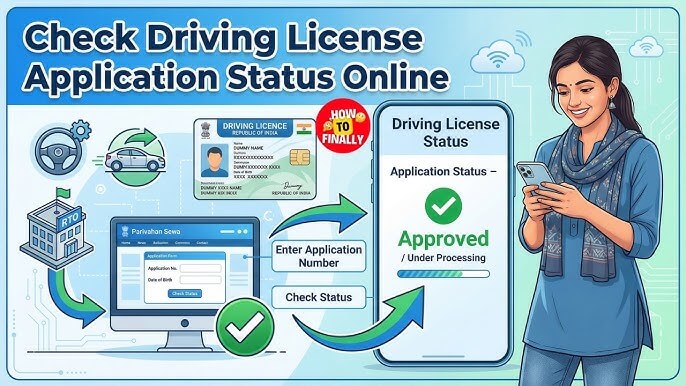
Follow these simple steps:
- Visit the Sarathi Parivahan portal.
- Select your state.
- Click on “Application Status.”
- Enter your application number.
- Enter your date of birth.
- Complete the captcha verification.
- Click Submit.
- View your current driving licence application status.
The portal will display information such as approval status, test status, dispatch details, and application progress.
What Is Driving Licence Status?
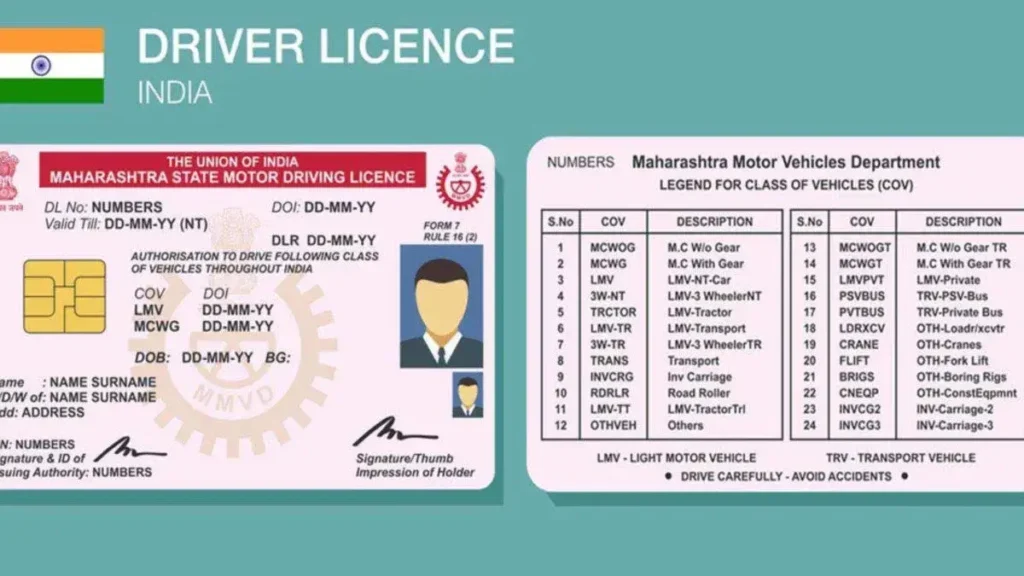
Driving licence status refers to the current stage of your driving licence application.
Every licence application goes through multiple stages before the final licence is issued. By checking your status online, you can see where your application currently stands and whether any further action is required.
A status check can help you:
- Track application progress
- Verify approval status
- Confirm driving test completion
- Check dispatch information
- Identify application issues early
- Monitor licence renewal applications
Why Check Your Driving Licence Status Online?
Many applicants wait weeks without knowing what is happening with their application. Online status tracking removes uncertainty and provides real-time information.
Save Time
Instead of visiting the RTO multiple times, you can check your status online within minutes.
Stay Updated
You can track every stage of the application process, from submission to dispatch.
Identify Problems Early
Missing documents, verification issues, or payment problems can be identified before they cause significant delays.
Better Transparency
Online systems provide direct updates from official transport databases.
How to Check Driving Licence Status Through Sarathi Parivahan
The Sarathi Parivahan portal is the official platform used for driving licence services across India.
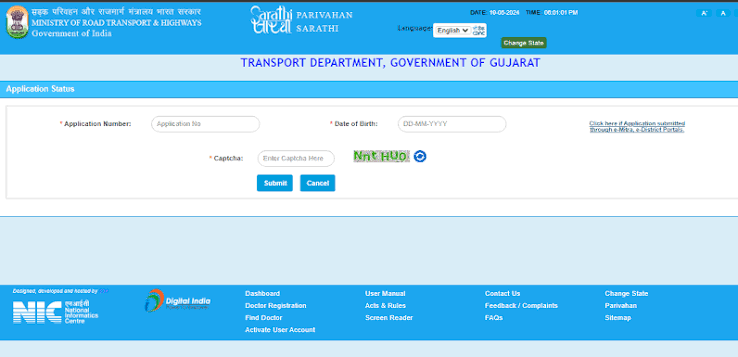
Visit the Sarathi Portal
Open the official Sarathi Parivahan website.
Select Your State
Choose the state where you applied for your driving licence.
Open Application Status
Click on the “Application Status” option available under online services.
Enter Required Details
You will need:
- Application Number
- Date of Birth
- Captcha Code
Submit Information
After entering the required details, click Submit.
The system will display your current application status.
How to Check Driving Licence Status Through Parivahan Sewa
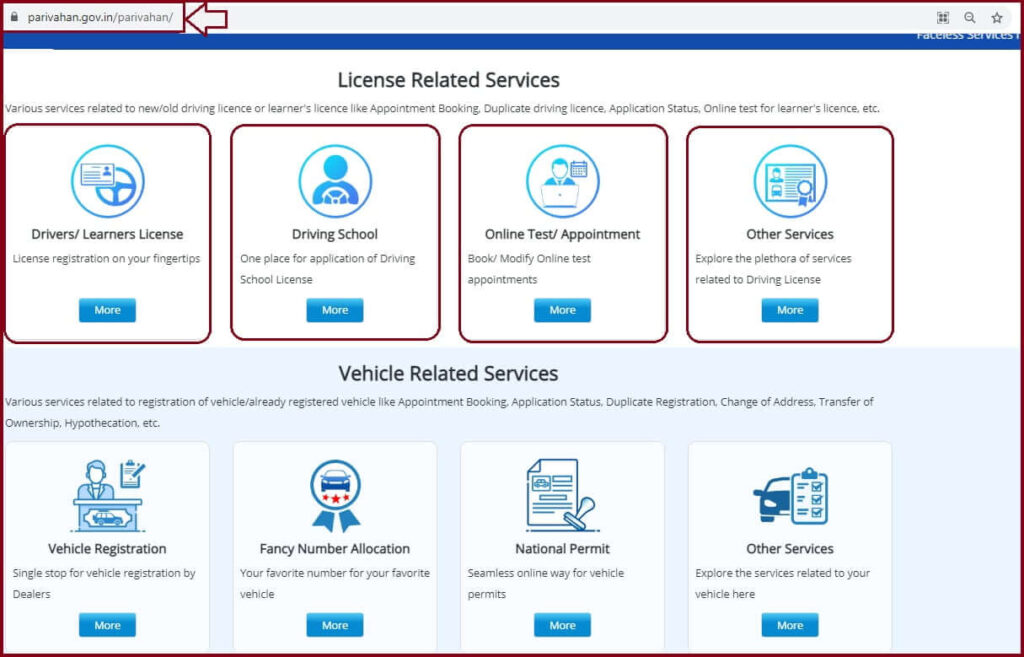
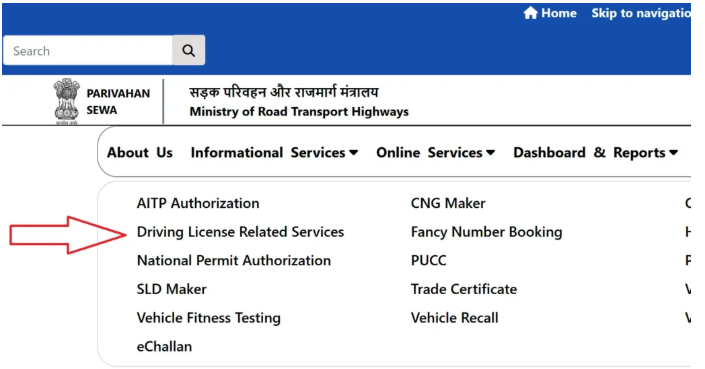
You can also track your application using the Parivahan Sewa portal.
Process
- Open the Parivahan portal.
- Click on “Driving Licence Related Services.”
- Select your state.
- Open “Application Status.”
- Enter your application number and date of birth.
- Click Submit.
Your latest application information will appear on the screen.
Driving Licence Status Meanings Explained
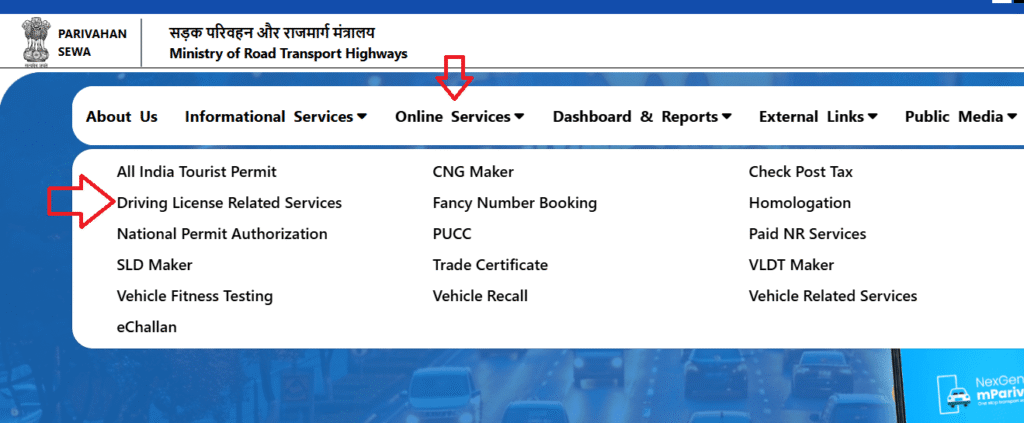
Many applicants see a status update but do not understand what it means.
The table below explains the most common driving licence status messages.
| Status | Meaning |
|---|---|
| Under Process | Application is being reviewed |
| Pending Verification | Documents are under verification |
| Test Scheduled | Driving test has been scheduled |
| Test Passed | Driving test completed successfully |
| Approved | Application approved |
| Printing Pending | Licence waiting to be printed |
| Dispatched | Licence sent to your address |
| Rejected | Application not approved |
| Awaiting Payment | Payment is pending |
Understanding these statuses helps applicants know what action may be required next.
How Long Does It Take to Get a Driving Licence?
Processing times vary by state, RTO workload, and application type.
Typical Timeline
| Stage | Estimated Time |
|---|---|
| Learner Licence Approval | 1–3 Days |
| Driving Test Booking | 30 Days After LL |
| Permanent Licence Approval | 7–21 Days |
| Printing and Dispatch | 3–10 Days |
Some applications may take longer if document verification is delayed.
Common Problems During DL Status Check
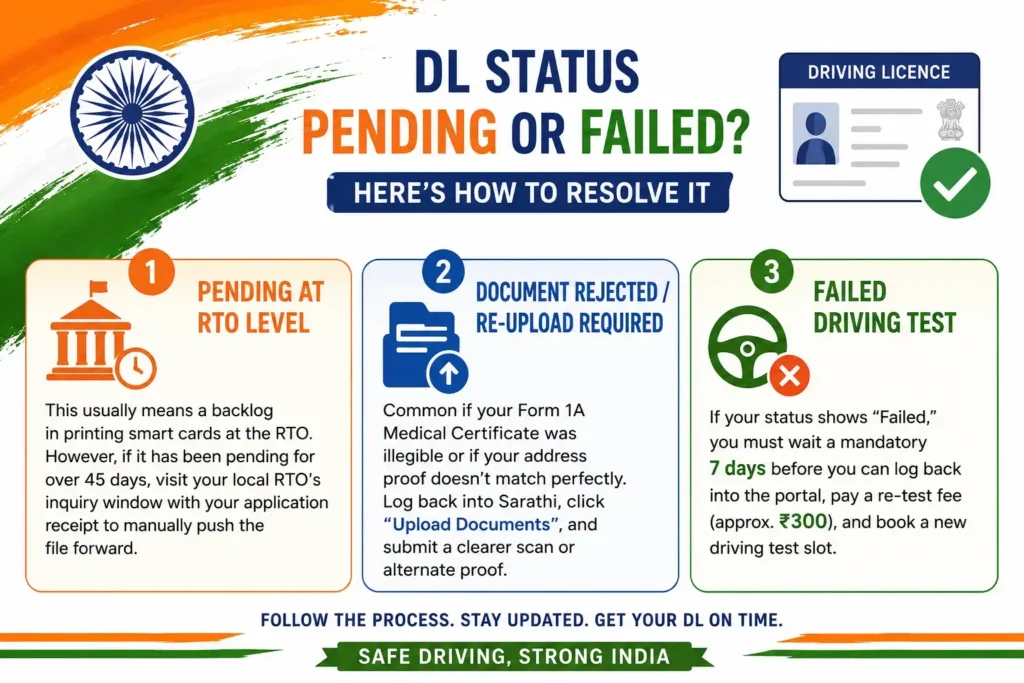
Application Number Not Found
This usually happens because:
- Incorrect application number
- Wrong state selected
- Recently submitted application not yet updated
Double-check your information and try again later.
Status Not Updating
Government systems may take several days to update.
If your status has not changed for more than seven days, contact your local RTO.
Portal Not Working
Heavy traffic or scheduled maintenance can temporarily affect portal availability.
Try again after some time.
Incorrect Date of Birth
Make sure the date of birth matches the information submitted with your application.
What To Do If Your Driving Licence Is Delayed?
If your licence has been approved but not received, follow these steps:
Check Dispatch Status
Review dispatch details on the application status page.
Track Postal Delivery
Many licences are delivered through Speed Post. Use the tracking information provided.
Contact the Issuing RTO
If your licence has not arrived after 30 days, contact the relevant RTO for assistance.
Can You Check Driving Licence Status Without an Application Number?
In some cases, applicants may be able to recover their application information using:
- Full Name
- Date of Birth
- Registered Mobile Number
Availability depends on the state and services provided by the transport authority.
Check Driving Licence Status Using mParivahan
The mParivahan application allows users to access various transport-related services.
Benefits include:
- View driving licence information
- Access digital documents
- Track licence-related details
- Verify transport records
Many users prefer mobile access because it is quick and convenient.
Check Driving Licence Through DigiLocker
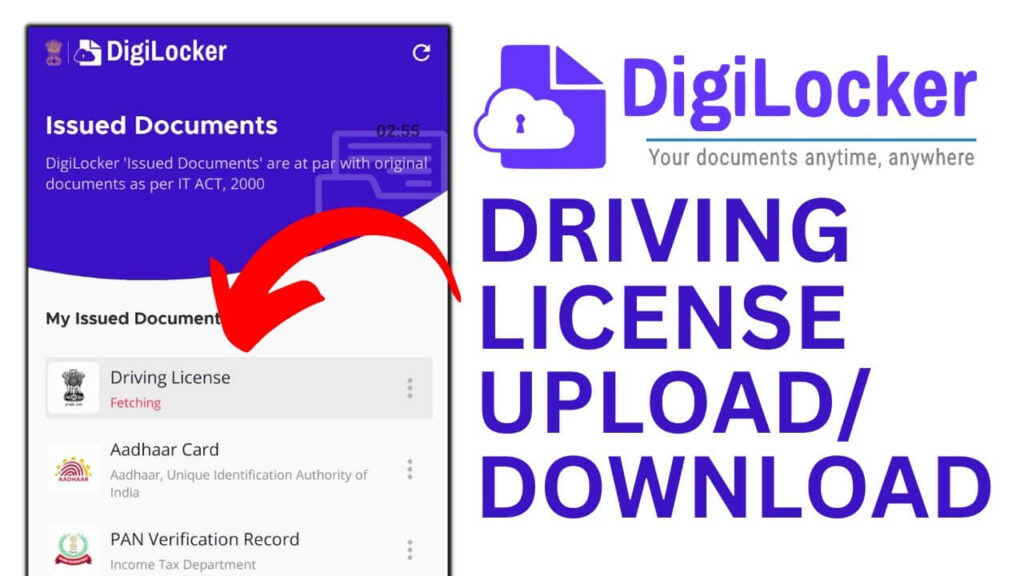
DigiLocker provides secure digital access to government-issued documents.
After your licence has been approved, you may be able to access a digital version through DigiLocker.
Benefits include:
- Paperless access
- Government-recognized documents
- Easy document sharing
- Secure storage
Benefits of Online Driving Licence Status Tracking
Online tracking offers several advantages:
- Fast access to updates
- Reduced RTO visits
- Improved transparency
- Easy application monitoring
- Quick problem identification
- Convenient access from anywhere
Conclusion
Checking your driving licence status online is the fastest and most convenient way to stay updated on your application. Whether you have applied for a learner’s licence, permanent licence, renewal, or duplicate licence, official online services make it easy to track progress without visiting an RTO.
By regularly monitoring your application status, understanding status messages, and resolving issues early, you can ensure a smoother and faster licensing process.
FAQ’S
How can I check my driving licence status online?
You can check your status through the Sarathi Parivahan or Parivahan Sewa portal using your application number and date of birth.
What does “Under Process” mean?
It means your application is currently being reviewed by the transport authority.
How do I know if my licence has been dispatched?
The application status page will display dispatch information once the licence has been issued.
Can I check DL status without visiting the RTO?
Yes. Online portals allow applicants to track their status from anywhere.
What should I do if my application is rejected?
Review the reason provided and contact your RTO for guidance regarding the next steps.
How long does it take to receive a driving licence?
Most permanent driving licences are issued within a few weeks after successful completion of the driving test.
Can I track a licence renewal application?
Yes. Licence renewal applications can also be tracked using the same status-checking process.
Is online driving licence status information reliable?
Yes. The information displayed comes directly from official transport department systems.