
RC Status Check Online – Check Vehicle Registration & Application Status
Want to check whether your Registration Certificate (RC) has been approved, generated, dispatched, transferred, or renewed?
Use the RC Status Checker above to track your vehicle registration application and view the latest updates through official government transport portals.
Whether you’ve recently purchased a new vehicle, applied for RC renewal, requested a duplicate RC, or initiated an ownership transfer, you can easily check your RC status online and stay updated without visiting the RTO.
What is RC Status?
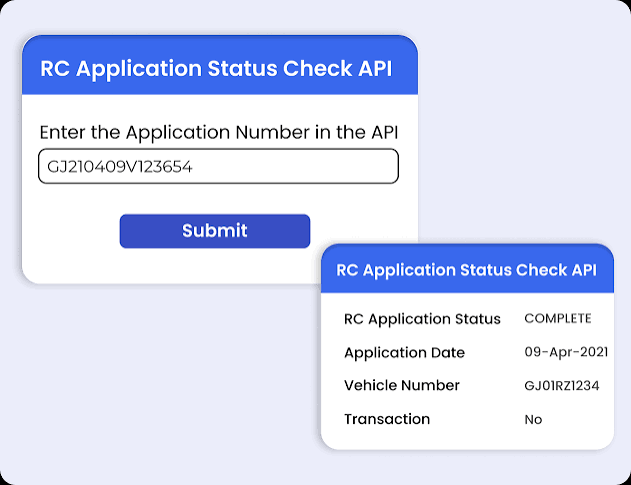
RC Status indicates the current status of your Vehicle Registration Certificate application in the transport department’s records.
Read Also: Driving Licence Status Check Online
A Registration Certificate (RC) is an official document issued by the Regional Transport Office (RTO) that confirms your vehicle is legally registered and authorized to be driven on Indian roads.
Checking RC status online allows vehicle owners to monitor the progress of applications related to:
- New Vehicle Registration
- Duplicate RC
- RC Renewal
- RC Transfer of Ownership
- Smart Card RC
- Hypothecation Removal
- Address Change in RC
- NOC Related Applications
The RC status system provides real-time updates directly from government transport databases.
Information Available in RC Status
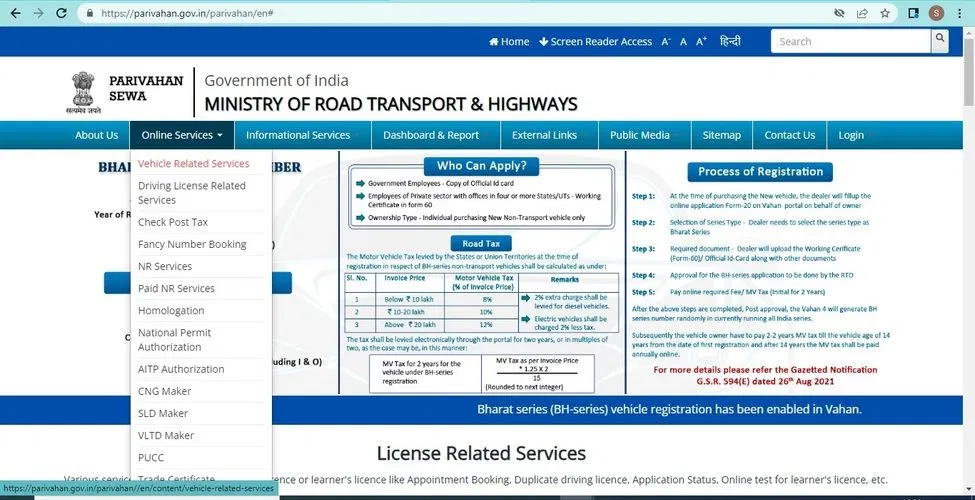
When you check your RC application status, you may see:
- Vehicle Registration Number
- Application Number
- Owner Name
- Vehicle Class
- Registration Date
- Registration Validity
- Chassis Number (Partial)
- Engine Number (Partial)
- Insurance Status
- PUC Status
- Fitness Certificate Status
- RTO Name
- Current Application Status
- RC Dispatch Details
How to Check RC Status Online
Check RC Status via Parivahan Portal
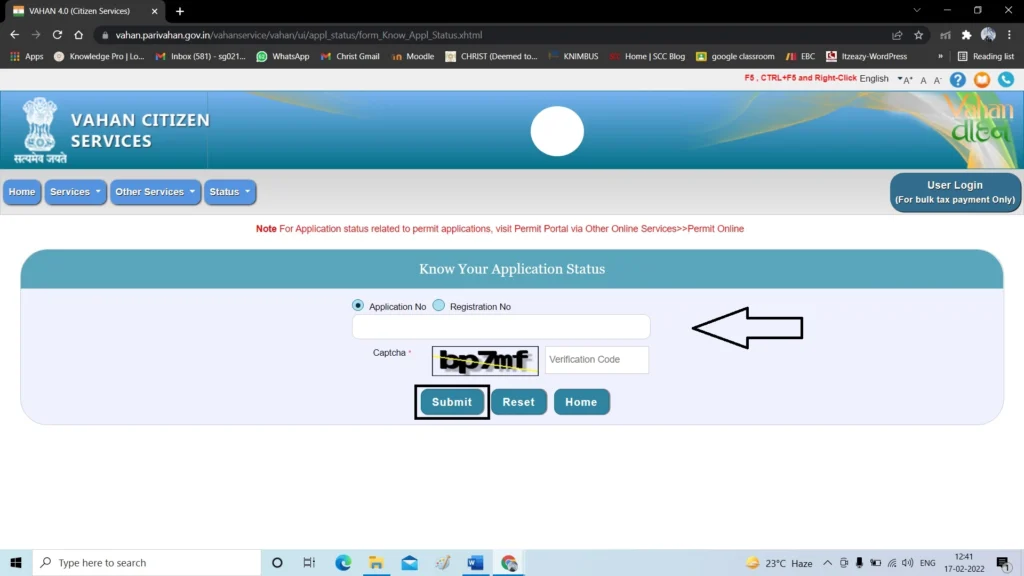
The VAHAN database stores and manages vehicle registration records from across India.
Steps:
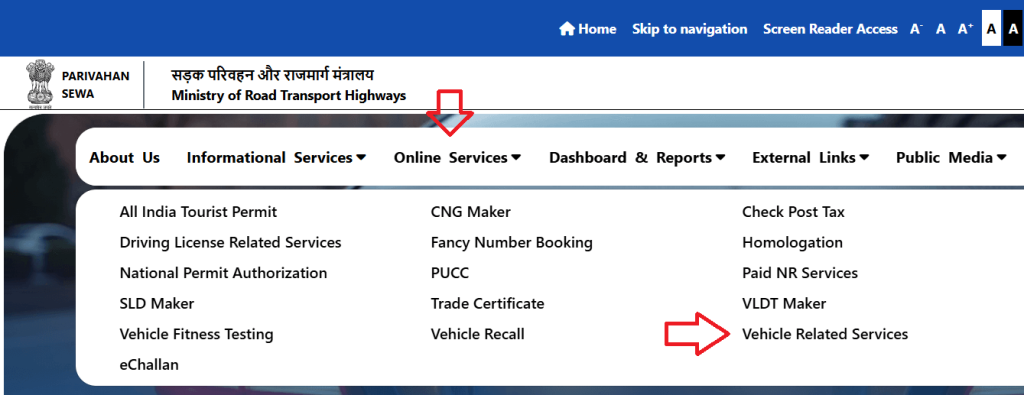
- Visit the official Parivahan website.
- Select Vehicle Related Services.
- Choose your State.
- Open “Know Your Application Status”.
- Enter your Application Number.
- Complete the captcha verification.
- Click Submit.
Your RC application status will appear instantly.
Read Also: Driving Licence Download Online
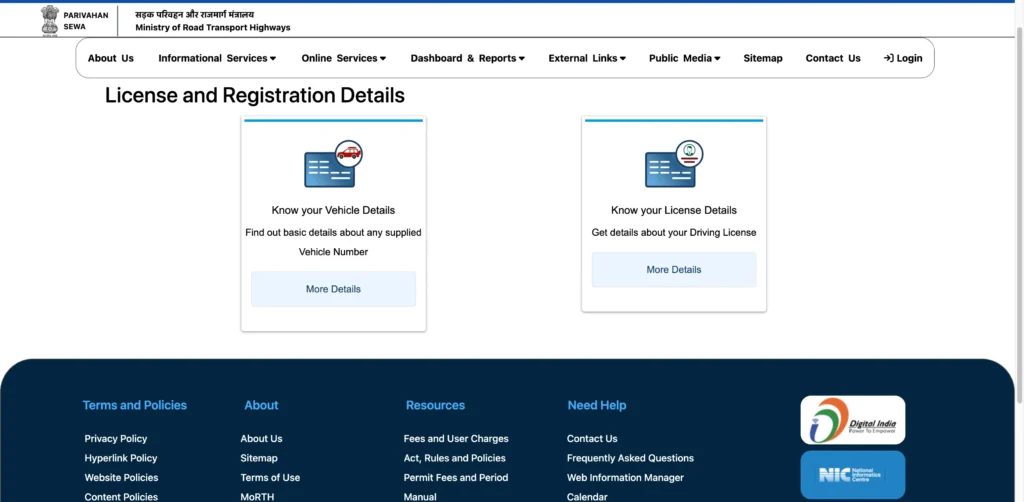
Check RC Status Using VAHAN Portal
The VAHAN database maintains vehicle registration records across India.
Steps:
- Open the VAHAN portal.
- Select “Know Your Vehicle Details”.
- Enter Vehicle Registration Number.
- Verify with OTP if required.
- View complete RC information.
This method is useful when the RC has already been issued.
Check RC Status Through mParivahan App
The mParivahan app makes it easy to access essential vehicle-related services right from your phone.
Steps:
- Download mParivahan App.
- Sign in using your mobile number.
- Select Vehicle Services.
- Choose RC Status.
- Enter vehicle details.
- View live registration updates.
Benefits include:
- Mobile-friendly access
- Real-time updates
- Digital RC storage
- Vehicle verification
Check RC Status Through DigiLocker
If your RC has already been approved and issued, you may also access the digital copy through DigiLocker.
Steps:
- Login to DigiLocker.
- Open Issued Documents.
- Select Ministry of Road Transport and Highways.
- Search Registration Certificate.
- Enter vehicle details.
- Download digital RC.
RC Status Meanings Explained
Many users get confused after seeing application status messages.
Here is what each status means.
| RC Status | Meaning |
|---|---|
| Application Submitted | Application successfully received |
| Under Process | Verification is ongoing |
| Pending Verification | Documents are under review |
| Approved | Application accepted |
| RC Generated | RC created in system |
| Smart Card Printed | Physical card prepared |
| Dispatched | Sent via post/courier |
| Delivered | Successfully delivered |
| Rejected | Application declined |
| On Hold | Additional verification required |
RC Application Status Check
RC Application Status helps applicants monitor new registration requests.
You can check:
- Application progress
- Verification status
- Approval updates
- Smart card generation
- Dispatch details
Application status tracking is especially useful after purchasing a new vehicle.
RC Transfer Status Check
When buying or selling a used vehicle, ownership transfer is mandatory.
Checking RC Transfer Status helps verify whether ownership has been successfully updated.
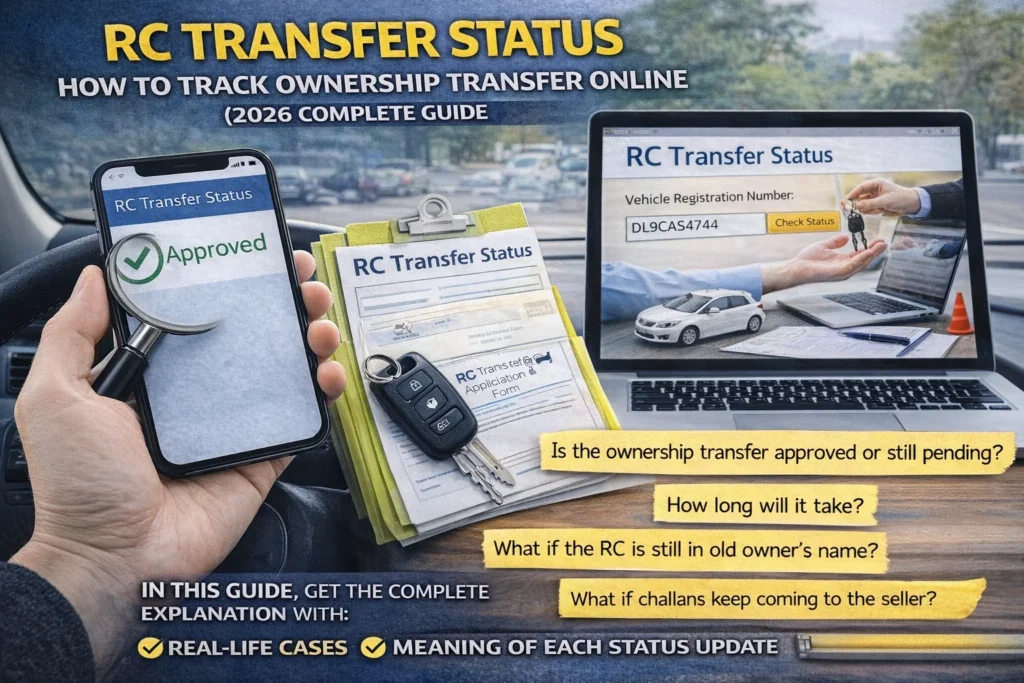
Transfer Status Stages
- Application Submitted
- Document Verification
- Fee Verification
- Ownership Approval
- RC Updated
- RC Generated
- RC Dispatched
Failure to transfer ownership can create legal issues for both buyer and seller.
Read Also: Duplicate RC Download Online
RC Renewal Status Check
Private and commercial vehicles may require RC renewal depending on vehicle age and regulations.
RC Renewal Status tracking helps you know:
- Renewal progress
- Inspection results
- Approval updates
- Dispatch status
Renewing RC on time helps avoid penalties and legal complications.
Duplicate RC Status Check
If your original RC is:
- Lost
- Damaged
- Stolen
- Unreadable
You can apply for a duplicate RC.
After submission, you can track:
- Verification status
- Approval status
- Smart card generation
- Dispatch information
Smart Card RC Status
Most states now issue RCs in Smart Card format.
Smart Card RC Status allows users to track:
- Card printing
- Card generation
- Dispatch updates
- Delivery confirmation
RC Dispatch Status Check
After approval, the RC moves to dispatch stage.
You can track:
- Dispatch date
- Courier details
- Postal tracking information
- Delivery status
Typical dispatch time ranges from 3–15 working days depending on the state.
Why is My RC Status Showing Pending?
Many users worry when their application remains pending.
Read Also: Fancy Number Plate Online
Common reasons include:
Document Verification
Officials are reviewing submitted documents.
Incorrect Information
Wrong chassis number, engine number, or address.
Payment Verification Delay
Online payment confirmation pending.
Technical Issues
System updates or server delays.
Heavy Application Load
Large number of applications being processed.
RC Approved But Not Received
If your RC is approved but not delivered:
Check Dispatch Status
Verify dispatch details.
Verify Address
Ensure registered address is correct.
Contact RTO
Visit or contact the concerned RTO.
Check Postal Tracking
Track delivery through available courier information.
RC Application Rejected – Common Reasons
Applications may be rejected because of:
- Incorrect vehicle information
- Invalid documents
- Expired insurance
- Missing signatures
- Address mismatch
- Unpaid taxes
- Invalid PUC certificate
You can usually reapply after correcting the issue.
How Long Does RC Approval Take?
Processing times vary by state and application type.
| Service | Estimated Time |
| New RC | 7–30 Days |
| Duplicate RC | 7–21 Days |
| RC Transfer | 15–45 Days |
| RC Renewal | 7–30 Days |
| Smart Card RC | 7–20 Days |
Actual processing times depend on the RTO workload and verification requirements.
Common RC Status Errors and Solutions
No Record Found
Possible causes:
- Incorrect application number
- Incorrect registration number
- Recent application not updated yet
Captcha Error
Refresh page and retry.
Invalid Vehicle Number
Enter registration number exactly as printed.
Application Not Found
Wait 24–72 hours after submission before checking.
Benefits of Checking RC Status Online
Saves Time
No need to visit RTO repeatedly.
Real-Time Updates
Track progress instantly.
Transparency
Know the exact stage of your application.
Faster Issue Resolution
Identify problems before they cause delays.
Available 24/7
Access status anytime from anywhere.
Related RC Services
Vehicle owners often use these services along with RC Status Check:
- Vehicle Owner Details
- Duplicate RC Download
- RC Renewal
- RC Transfer of Ownership
- Vehicle Tax Status
- PUC Status
- Fitness Certificate Status
- Challan Status Check
- Fancy Number Booking
- Driving Licence Status Check
conclusion
Checking your RC Status online is the fastest and most convenient way to track vehicle registration applications in India. Whether you are waiting for a new Registration Certificate, monitoring an ownership transfer, renewing your RC, or tracking a duplicate RC request, official government platforms provide secure and real-time updates.
Always use official transport services portals to verify information and keep your vehicle records updated to avoid delays, penalties, or legal issues in the future.
FAQ’S
How can I check RC status online?
You can check RC status through the official Parivahan portal, VAHAN portal, or mParivahan app using your application number or vehicle registration number.
Can I check RC status by vehicle number?
Yes. Most issued RC records can be searched using the vehicle registration number.
What does RC Generated mean?
It means your Registration Certificate has been successfully created in the transport department system.
What does RC Dispatched mean?
It means the RC has been printed and sent to your registered address.
How do I check RC transfer status?
You can track RC ownership transfer status through the Parivahan portal using your application number.
Can I download my RC online?
Yes. Digital RC copies can be accessed through DigiLocker and mParivahan.
Is digital RC valid?
Yes. Digital RC documents issued through government-approved platforms are legally valid in India.
How long does RC dispatch take?
Most RC cards are delivered within 3–15 working days after dispatch.
Why is my RC application pending?
Pending status usually means document verification, payment confirmation, or administrative review is still in progress.
Can I check RC status without visiting RTO?
Yes. All major RC status services are available online through official government platforms.